
HD Pro Duplicator - Control Manager Software - Viewing Log Information - The Control Center View

Each block in the Control Center page’s grid represents a port on the duplicator. The corresponding port number is displayed in the lower, left corner of each block.
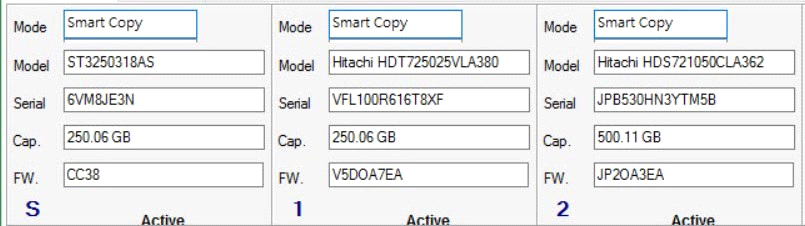
The Control Center window displays the following information:
|
Mode |
The current function being run. |
|
Model |
The drive model connected to that port. |
|
Serial |
The serial number of the drive connected to that port. |
|
Cap. |
The storage capacity of the drive connected to that port. |
|
FW. |
The firmware version on the drive connected to that port. |


