
HD Pro Duplicator - Duplicating From a Storage Center - Duplicating an Image File

Now that you have loaded an image file on the Storage Center, you can begin the copy process:
- Make sure the Storage Center is connected to the Source port. Connect your Target drives into any available target ports.
- From the Main Copy Menu, select a copy mode and then press the ENT button.
- When the duplicator recognizes the Storage Center drive it will ask you to input an image file.
- The file name consists of three digits. The digit furthest to the left will be blinking, indicating that it is currently selected. Tap the Up or Down button to increase or decrease the digit by one.
- Tap the ENT button to select the next digit to the right. Tap the Up or Down button to increase or decrease the digit by one.
- In the example above, file number 001 is currently selected. Note: If the Skip Select Image setting has been enabled then you will not be asked to enter an image file name. Note: If the Skip Select Image setting has been enabled then you will not be asked to enter an image file name.
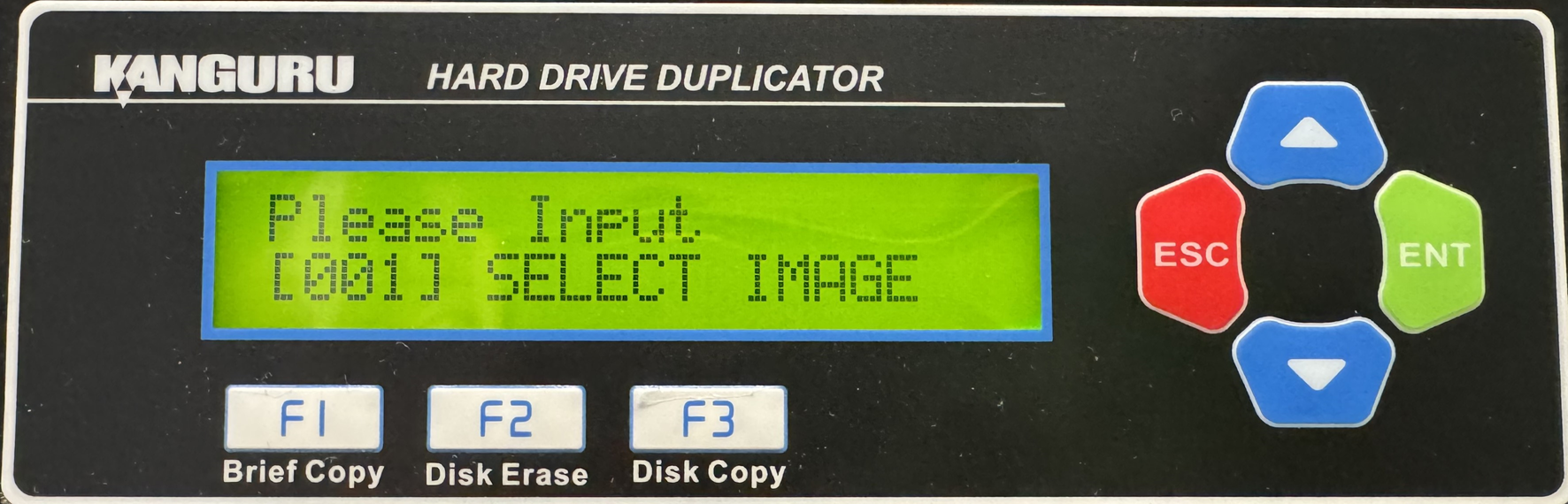
- In the example above, file number 001 is currently selected. Note: If the Skip Select Image setting has been enabled then you will not be asked to enter an image file name. Note: If the Skip Select Image setting has been enabled then you will not be asked to enter an image file name.
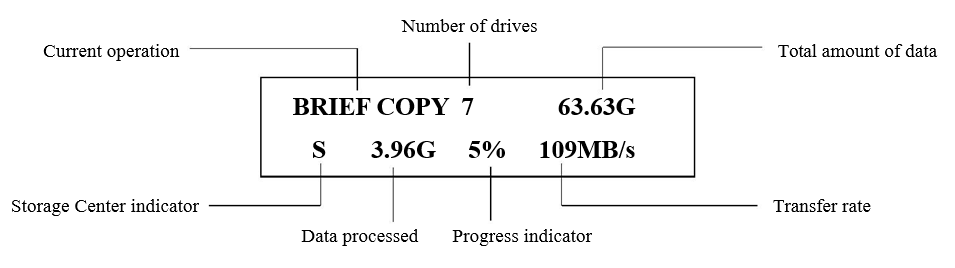
- Once you have entered the image file name press and hold the ENT button for 3 seconds to begin copying. Note: If you receive the following error message: “NO DATA FOUND”, then the image file that you selected does not contain any data. After all connected Target disks have been detected and initialized, the duplication process begins. During duplication the screen will display the following information:
- When the copy process has completed, you will receive a message saying “Remove xPS xFL”, where “x” indicates the number of drives that passed (PS) and failed (FL). Target drives that passed will have a green LED displayed next to it. Target drives that failed the duplication process will display a red LED next to it.
WARNING! Do not remove any drives while they are in use. You can tell if a drive is in use if the green LED next to it is blinking. Wait for a solid green or red LED before removing a drive. If you want to interrupt the current process, press and hold the ESC button for 3 seconds.
Note: The duplicator will keep a running count of passed and failed drives until you change copy modes.


