
Defender's removable disk partition is not displayed under My Computer (Windows 7)

When I plug in my Kanguru Defender, I do not see the removable disk partition.
Note for Windows 7 users: Windows 7 users may not see the removable disk partition until you have logged into KDM. This is normal.
If you are running Windows 7 and for any reason you need to see the removable disk before you log into KDM, then you will need to configure Windows in the following manner. Note: This is user preference only. There is no need to configure Windows 7 in order to use your Defender.
1. From My Computer, click on the Organize tab and then select Folder and search options.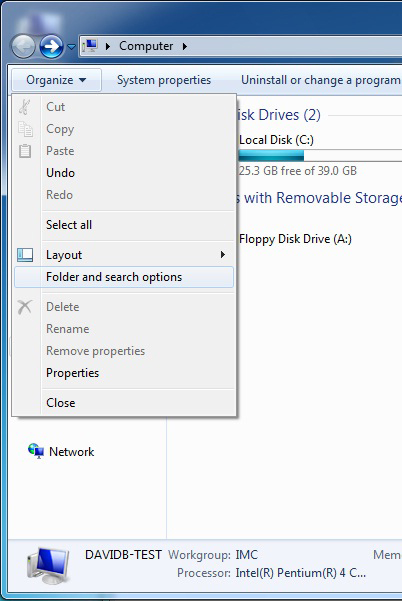
2. The Folder Options window appears. Scroll down to the option for 'Hidden Files and Folders' and select Show hidden files, folders, and drives.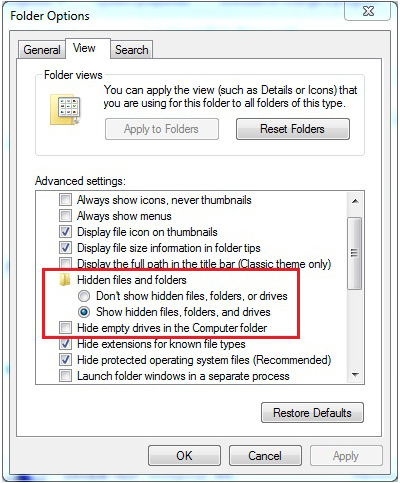
3. Click on the OK button to finish configuring Windows. The removable disk is now visible before you log into KDM.


