Safely remove Defender Drive on Ubuntu 12.04

To safely remove the device under 12.04 version using a GUI, you must follow these steps:
- Install “dconf-tools”
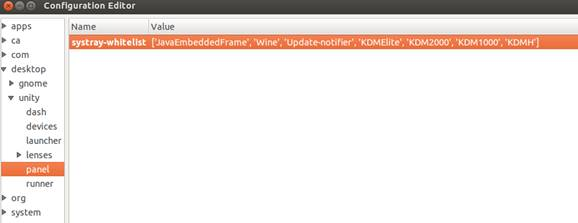
- Once installed, press ALT + F2 and enter: "dconf-editor" , then navigate to desktop > unity > panel and to enable the Notification Area (Systray) for all application, enter: [‘JavaEmbeddedFrame’, ‘Wine’, ‘Update-notifer’, ‘KDMElite’, ‘KDM2000’, ‘KDM1000’].
- After changing the dconf value, log out and log back in.
Default:
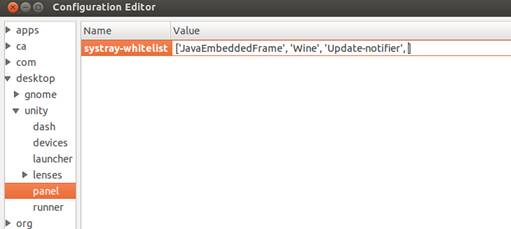
After: