
Update KRMC 8 via Patch

To update a KRMC 8 server using a patch you will need the following:
- Super Administrator access to KRMC
- The KRMC update patch
Please know that we always recommend taking a snapshot of any KRMC server prior to performing and update.
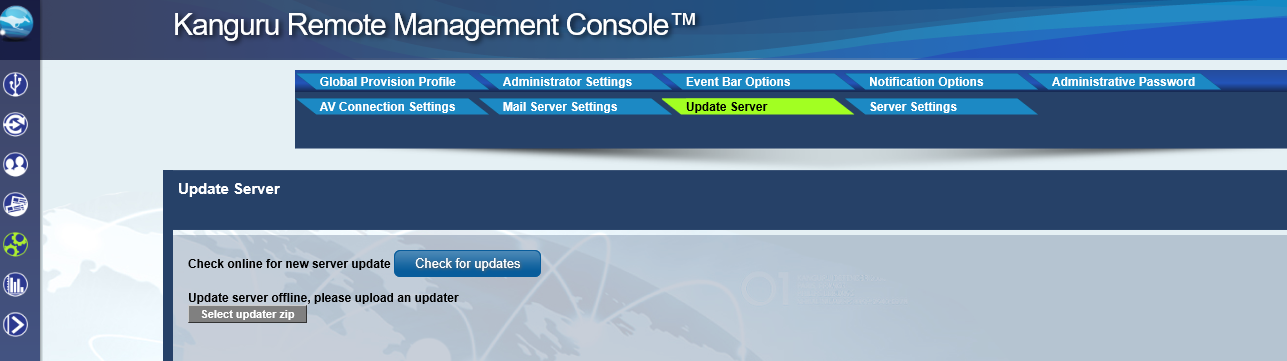
Once you have both items, login to KRMC as the Super Administrator and navigate to the “Update Server” tab located under “Settings”.
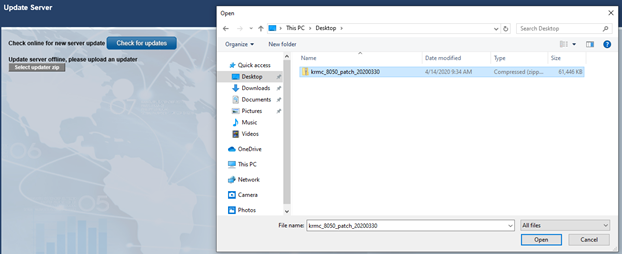
Select the option “Select Updater Zip” and a File Explorer window will appear. Select the patch file.. When the file has been selected, click Open
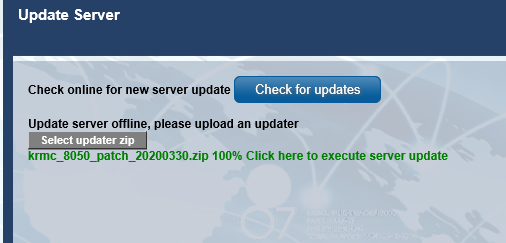
Wait until you receive a message stating “<patch file name> 100% Click here to execute server update”. After seeing this message, click on the word “here” and the update will start.
After a period of time (typically about 2 minutes), a message should appear stating the date/time and “Update done”.
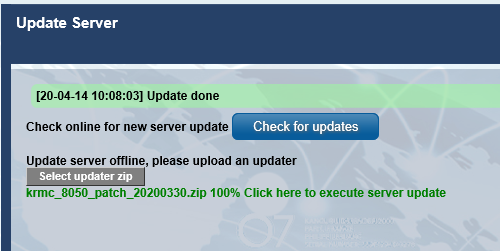
Your KRMC server has now been updated.


