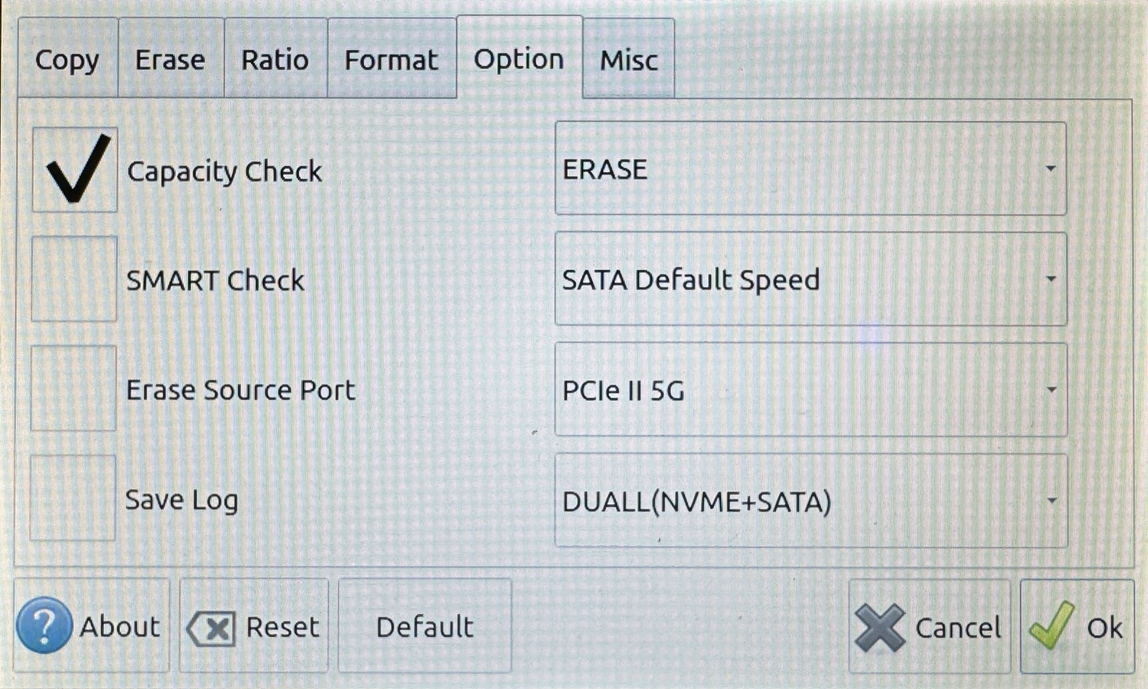
11-Target NVMe Duplicator - Settings - Option

Options Settings allow you to alter operation-based settings. These settings alter its operations with drives not the system-based settings.
|
Capacity Check |
Check that the capacity of Target drives is at least equal to or larger in capacity as the Source drive. |
|
|
Disabled |
When a Disk or Brief copy process is executed the system will not check the capacity between the Source and Target drive(s) and start the copy process as normal. |
|
|
Enabled |
When a Disk or Brief copy process is executed the system will check the capacity between the Source and Target drive(s) to determine whether the capacity is the same. If the capacity is different the copy process will be canceled. Note: This is the Default setting. |
|
|
SMART Check |
Self-Monitoring, Analysis and Reporting Technology monitors drive indicators of reliability and is often able to anticipate future failures. SMART checks the electrical and mechanical performance as well as the read performance of the disk. Electrical tests can include a test of cache, a read/write circuitry test, or a test of the read/write head elements. Mechanical tests include seeking and servo on data tracks. |
|
|
Disabled |
The duplicator will not perform a SMART check on all drives during each duplication process. Note: This is the Default setting. |
|
|
Enabled |
The duplicator will perform a SMART check on all drives during each duplication process. |
|
|
Erase Source Port |
Allow the drive connected at the Source position to be erased. Disabled by default. |
|
|
Disabled |
A drive connected to the Source port will not be erased if you run Quick Erase, Disk Erase or Disk Wipe. Note: This is the Default setting. |
|
|
Enabled |
A drive connected to the Source port will be erased if you run Quick Erase, Disk Erase or Disk Wipe. |
|
|
Save Log |
Allow system logs to be saved in the duplicator’s flash memory then transferred to a USB drive connected to the front USB port. |
|
|
Disabled |
No system and process logs are stored to a USB connected to the device. Note: This is the Default setting. |
|
|
Enabled |
System and process logs are stored to a USB connected to the device. |
|
|
Push Button Function |
Select what function the One-Touch Push Button performs when pressed. |
|
|
Transfer Speed |
The default speed is set for SATA Default. It is generally automatically detected based on the storage device's reported SATA speed. However, to resolve compatibility issues, the transmission speed may sometimes be manually redefined. |
|
|
PCIe Transfer Speed |
PCIe II 5G and PCIe II 8G follow the same concepts Transfer Speed. Currently, setting PCIe II 5G provides the most stable performance, while PCIe II 8G may deliver better results on certain devices.We recommend setting PCIe II 5G for optimal stability. |
|
|
Drive Compatibility |
Drive Compatibility allows the ability to alter what types of drives are able to be used with the duplicator. |
|
|
DUALL (NVME + SATA) |
Both NVMe and M.2 SATA drives are able to be used with the device. Note: This is the Default setting. |
|
|
DUALL (NVME) |
Only NVMe drives are able to be used with the device. |
|
|
DUALL (SATA) |
Only M.2 SATA drives are able to be used with the device. |
|