HD Pro Duplicator - Control Manager Software - General Operation - Executing Functions

In addition to providing logging information, the Control Manager software can be used to execute functions on your KanguruClone duplicator directly from your computer.
To execute a function:
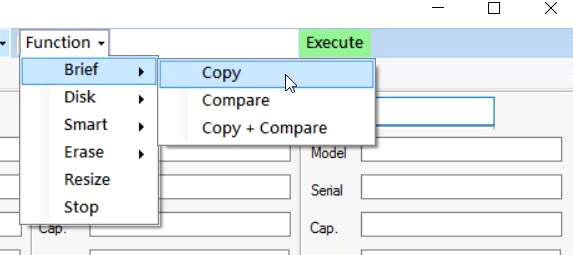
- Click on the Function Drop-Down Menu. A list of available functions appears. Note: Some functions may have a second-tier option that must be selected.
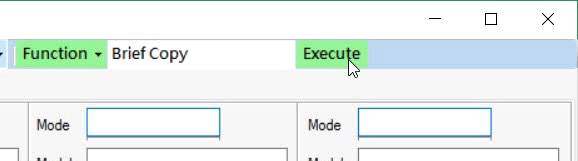
- Click on the Execute Button to execute the selected function.