
BitDefender Threat Scanner Error

If your Defender device with BitDefender Antivirus prompts the a "BitDefender Threat Scanner" error message like the one displayed below, please do the following to resolve this issue.
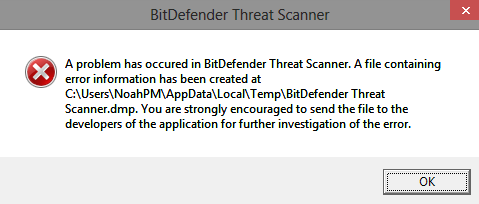
Option 1:
- Physically disconnect the USB device from the USB port and attempt to log back into the device.
- If possible, the device will re-download the AV definition files.
- If this does not resolve the problem, proceed with option 2 below.
Option 2:
- Once the above error occurs, click the OK button.
- Navigate to the secure partition of the Defender device.
- Locate the folder titled "SYSTEM" (Note: This is a hidden folder, so you must have the show hidden files and folders enabled within Windows)
- Only delete the contents of the folder titled "Plugins" as shown below. This is the folder that contains the antivirus definitions.
- Physically disconnect the Defender device once complete and reconnect/login to your device.
- The AV files will be re-downloaded.


