
HD Pro Duplicator - About - Set to Default

Set to Default allows you to restore all settings back to their factory default values.
To reset your duplicator to its original default configuration:
- Power on the duplicator.
- From the Main Copy Menu press the ESC button to enter the Menu Select mode.
- Press the Up or Down buttons until you see About Menu.
- When About Menu is displaying for you, press the ENT button to enter this menu.
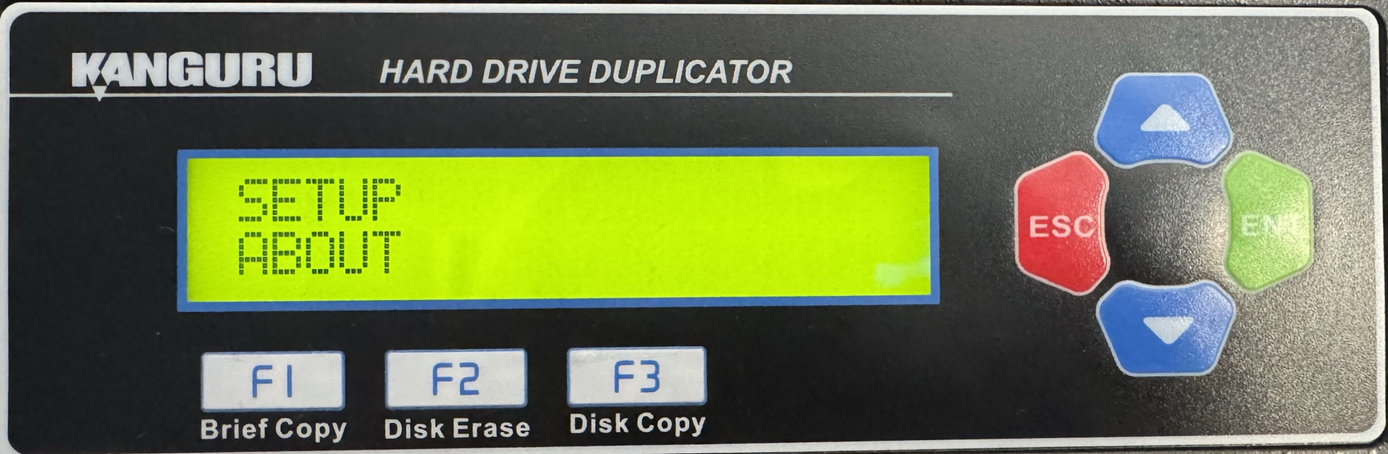
- Press the Up or Down buttons until you see Set to Default.
- When Set to Default is displaying for you, press the ENT button to enter this option.
- You will be able to access the Setup menu and from here you can use the Up or Down buttons to switch menu options.
- After locating Set to Default, press the ENT button to enter this option.
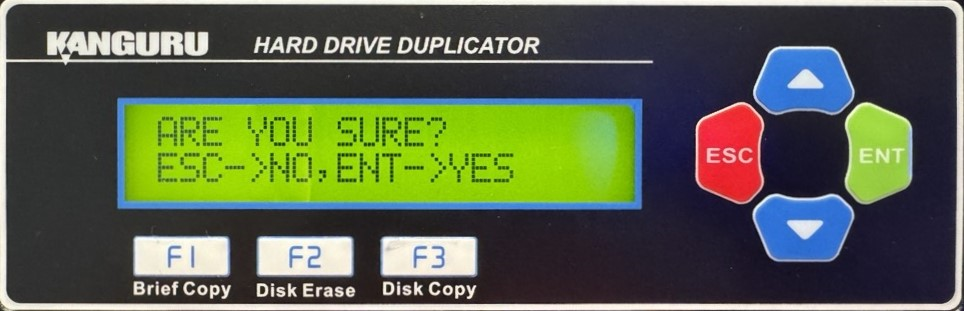
- You will be displayed a confirmation message on the screen. Press ESC if you would like to stop the process or press ENT to continue with the process.
- Once the reset has been completed, you will be displayed a confirmation message on the screen. Press any button to return to the About menu.


