
HD Pro Duplicator - Main Copy Menu - Erase - Enhanced Security Erase

Secure Erase is a set of firmware commands available on many ATA drives. These commands are used as a secure method of data sanitization by completely overwriting all data on a drive. The type of sanitization method implemented by Enhanced Secure Erase is device-specific, and may vary from drive to drive. In some cases, the Enhanced Secure Erase will overwrite all sectors with a predefined pattern of ones and zeroes. In other cases, the drive has an internal encryption key which is simply destroyed and regenerated. Unlike Disk Wipe and Disk Erase, the Enhanced Secure Erase process is effective at sanitizing SSDs because it can access and erase all sectors on an SSD.
Enhanced Secure Erase is approved by the National Institute of Standards and Technology (NIST) Special Publication 800-88 as a method for purging ATA hard disk drives.
Caution! Unlike Disk Wipe or Disk Erase , the duplicator only invokes the Enhanced Secure Erase command. The actual data wiping is done at the drive firmware level. Please keep the following points in mind:
- Only some ATA drive manufacturers include Secure Erase commands in firmware, most do not. Please check with the drive manufacturer to verify that your drive model supports ATA Enhanced Secure Erase before attempting.
- If there are kernel of firmware bugs, executing the ATA Enhanced Secure Erase command could render a drive unusable. It is recommended to check with the drive manufacturer before performing this function.
To perform an Enhanced Security Erase:
- Power on the duplicator.
- Connect drives to the Target ports on the duplicator.
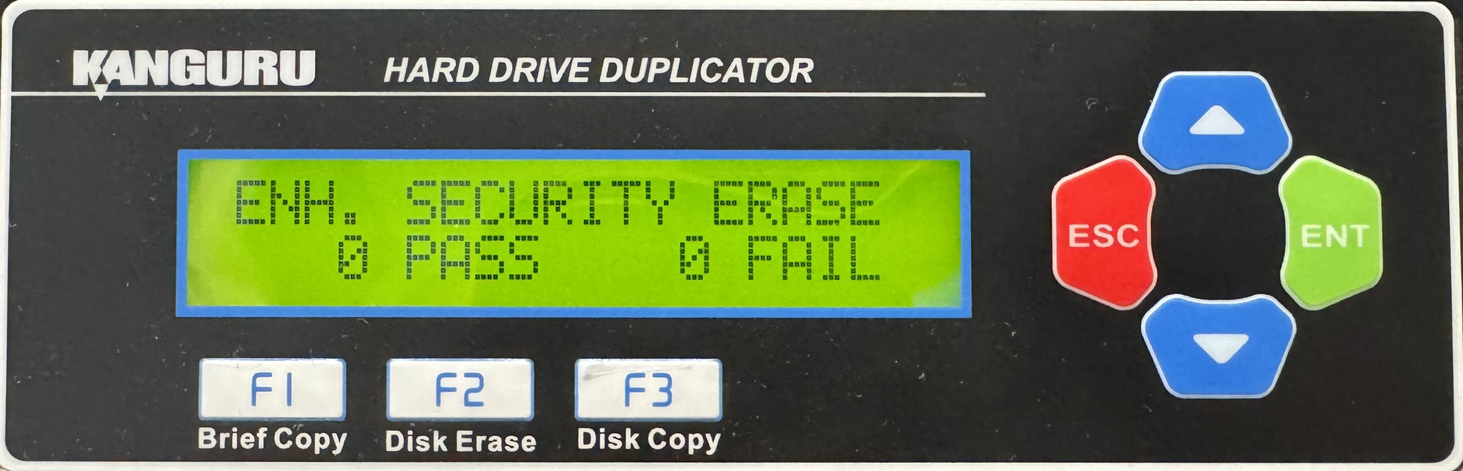
- From the Main Copy Menu press the Up or Down buttons until you see ENH. Security Erase.
- When ENH. Security Erase is displaying for you, press the ENT button to start this process.
Note: The Source port is not able to be erased unless you enable Erase Source Port located under Main Setup.


