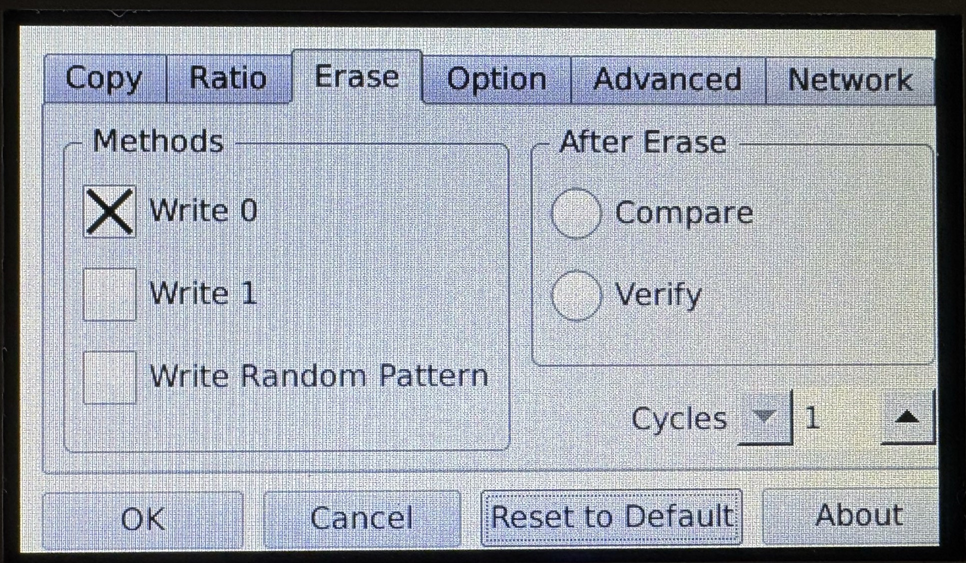
4-Target NVMe Duplicator - Setting - Erase

Erase Settings allows you the ability to set customer erase settings as well as number of cycles performed during the wipe process.
|
Methods |
Configure a CUSTOM erase methodology. Multiple methods can be selected. |
|
|
Write 0 |
Overwrite all addressable locations with binary zeroes. Enabled by default. |
|
|
Write 1 |
Overwrite all addressable locations with binary ones. Note: This is the Default setting. |
|
|
Write Random Pattern |
Overwrite all addressable locations with a random bit pattern. Note: This is the Default setting. |
|
|
After Erase |
Configure what occurs after an erase operation is completed. |
|
|
Compare |
Automatically compare data on connected drives after an erase is performed. Note: This is the Default setting. |
|
|
Verify |
Verify the final overwrite pass after an erase is performed. Note: This is the Default setting. |
|
|
Cycles |
Select the number of cycles an erase or wipe function is performed. The default setting is 1 however it can be changed up to 10. |
|