
HD Pro Duplicator - User Interface

Kanguru Solutions designed the Kanguru Clone’s menu system with the professional in mind. The menu system is fast, responsive, and easy to navigate. This means fewer key presses are needed to achieve a desired action.
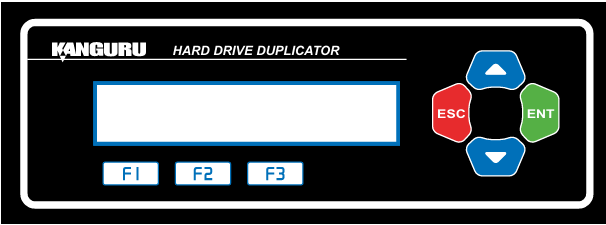
The menu system is controlled by 7 push buttons located to the right of the LCD screen.
|
UP Arrow |
Button used to select different menu items. |
|
Down Arrow |
Button used to select different menu items. |
|
ENT |
This is a confirmation button and allows you to proceed to the next screen. |
|
ESC |
This is your cancel button and will return you to the previous screen. |
|
F1 |
Shortcut button to Brief Copy. |
|
F2 |
Shortcut button to Disk Erase. |
|
F3 |
Shortcut button to Disk Copy. |


